.jpg)
Your website is your digital storefront. It doesn’t just need to look good — it needs to rank, attract the right people, and convert them.
Getting your site on the first page of Google isn’t enough. The structure, layout, and copy need to turn visitors into leads.
This guide walks you through how to do that step by step.
Even in a niche like plumbing, there are over 7 million online searches per year in the US alone.
That means your customers are actively searching for what you offer.
Before I get into anything though...
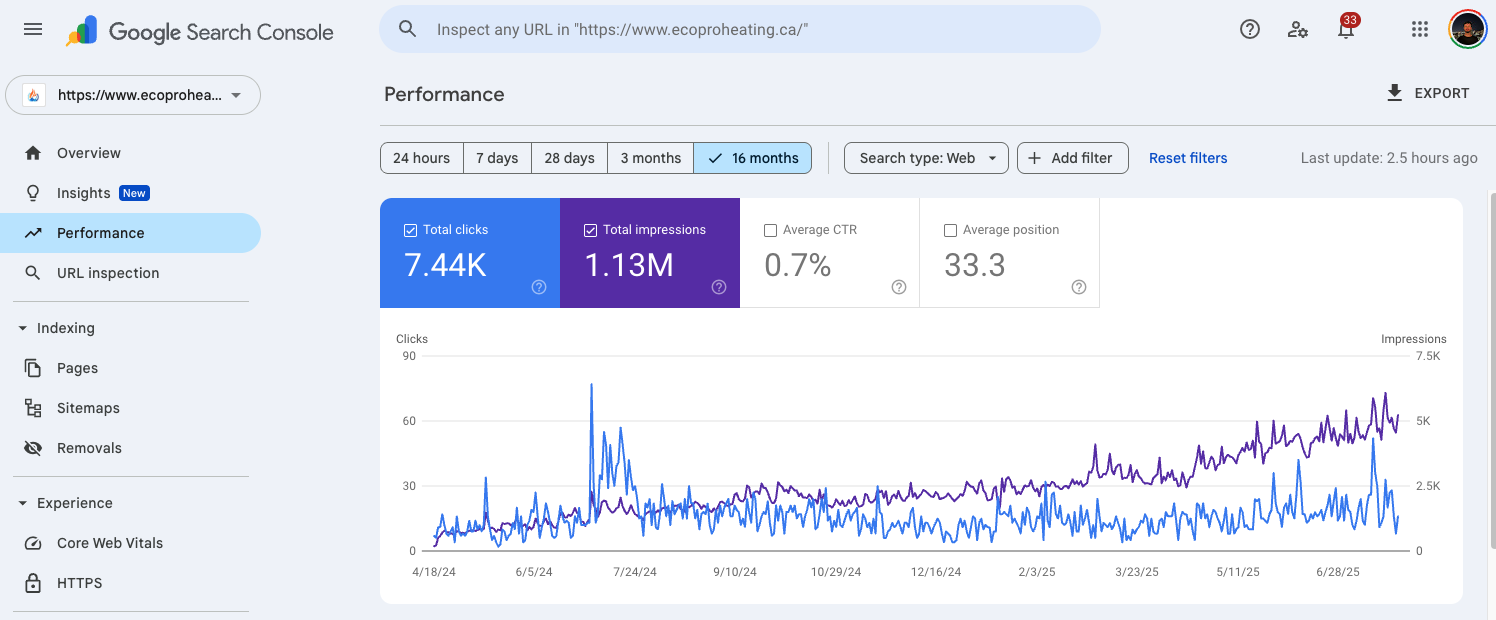
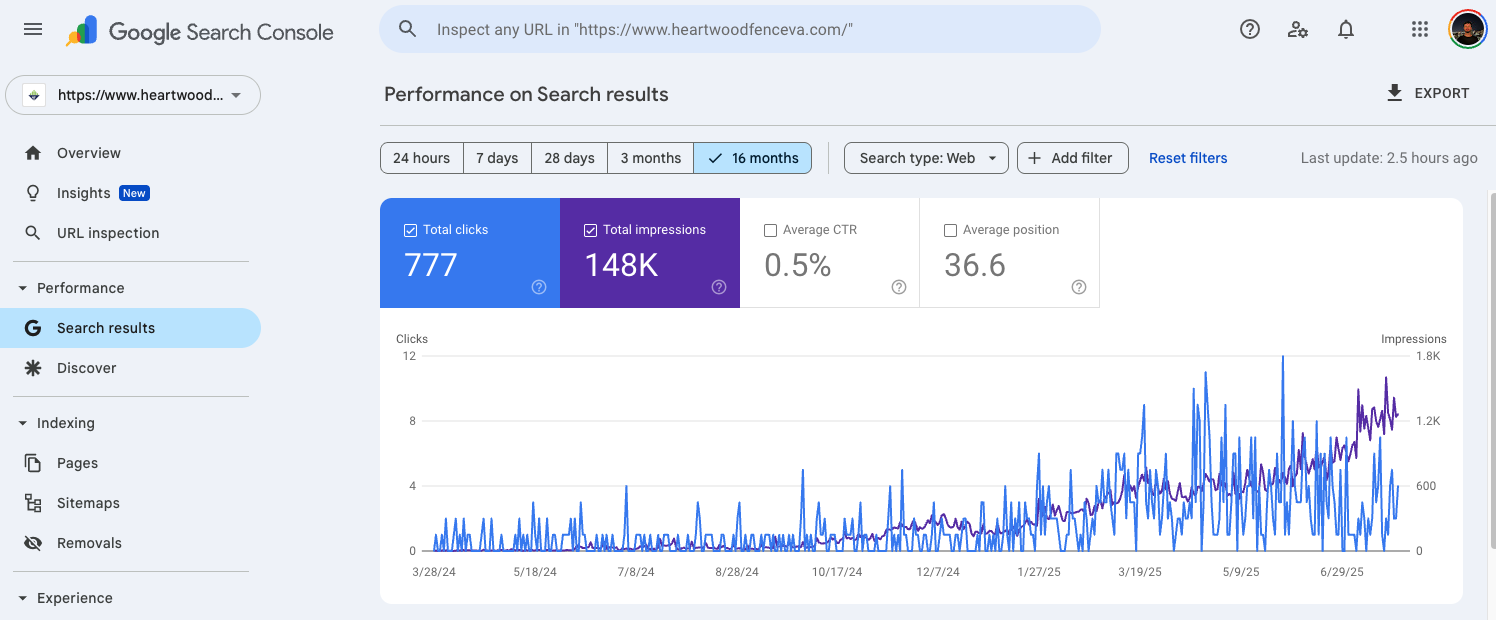
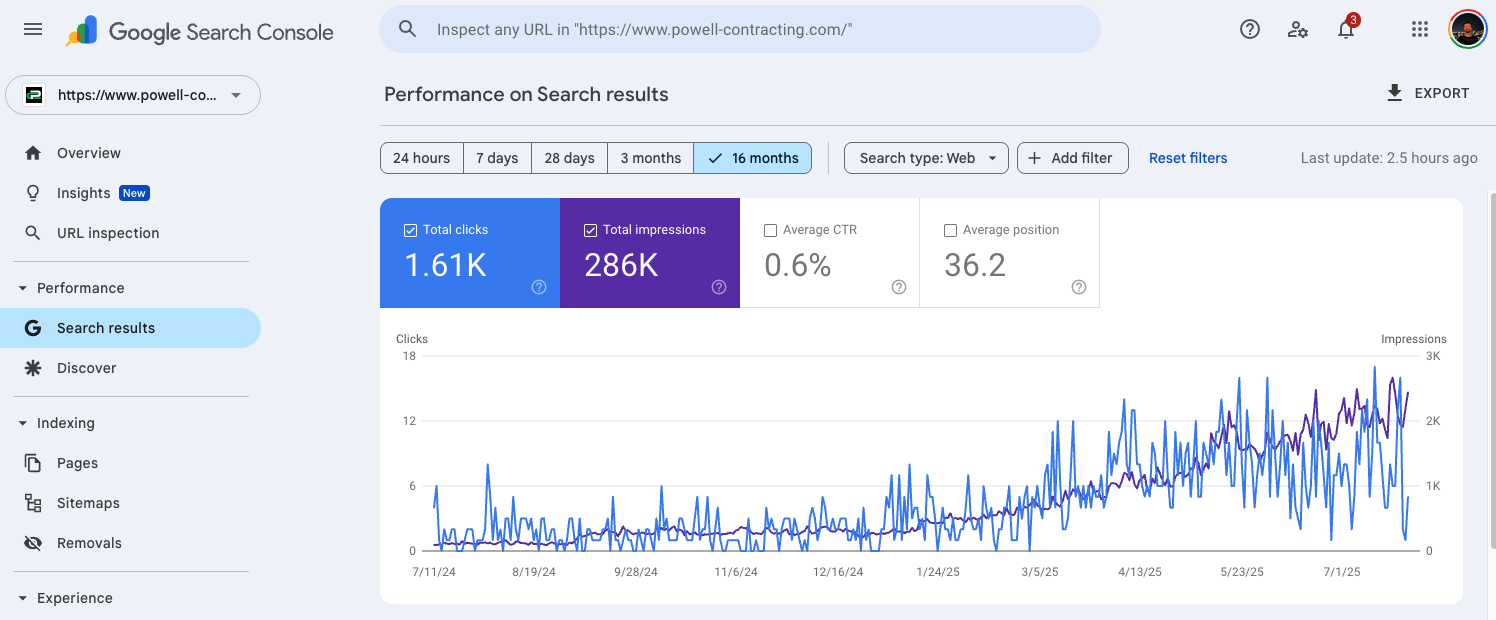
I want to show you some of the results our other home service clients have gotten with our SEO...
These are just a few case study videos:
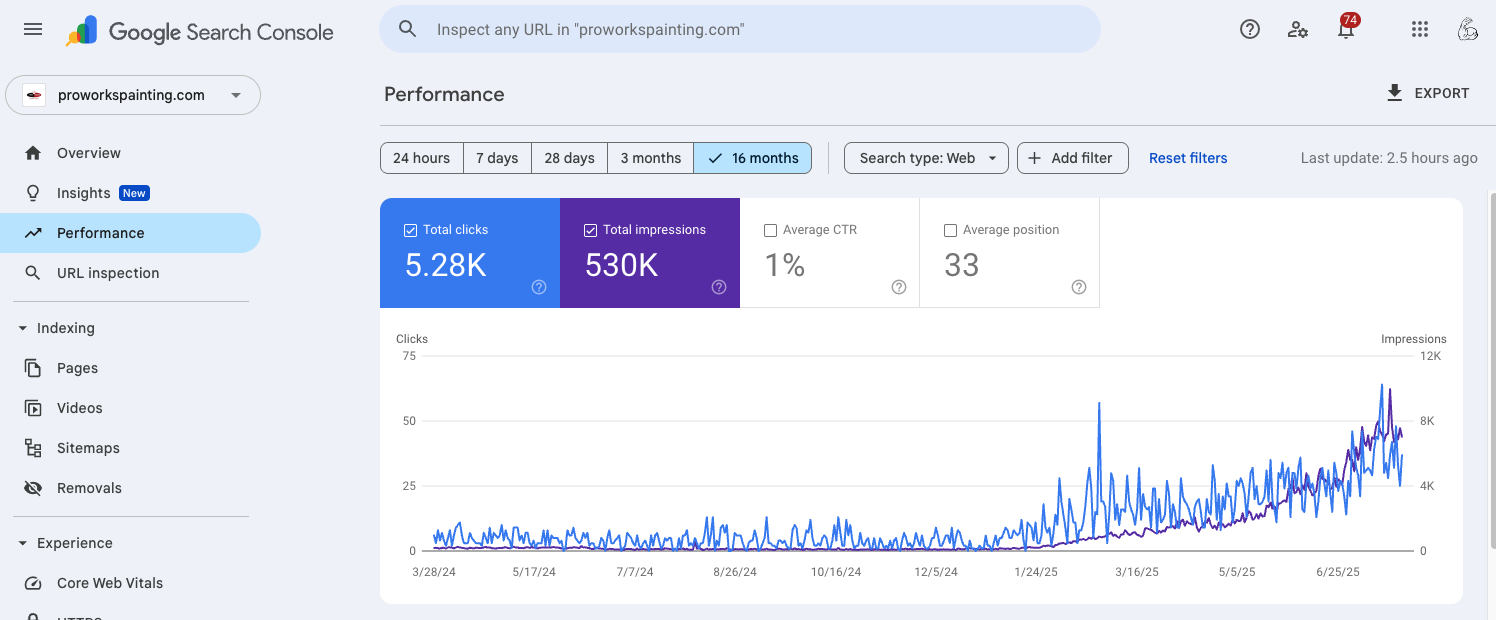
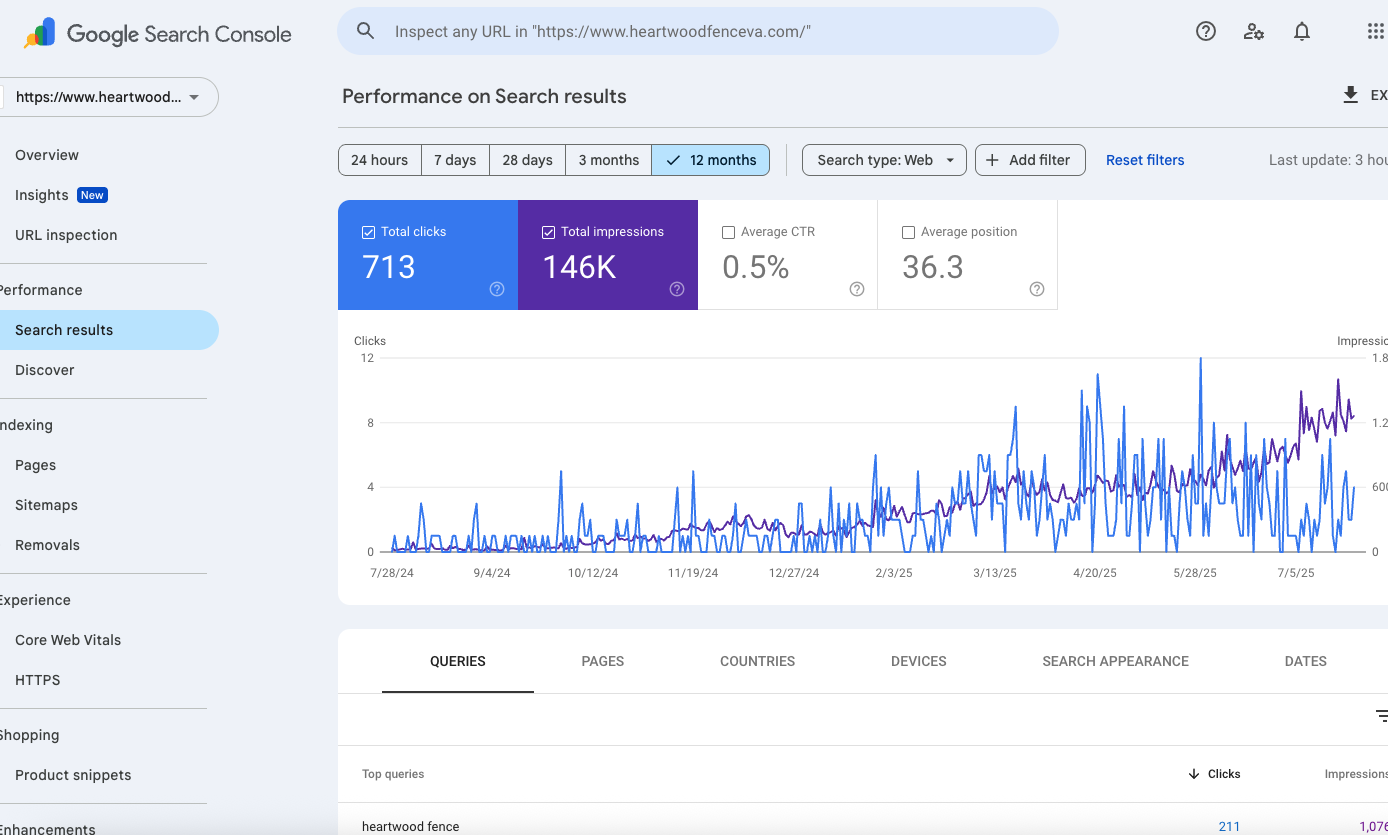
And these are some screenshots taken from our clients' Google Search Console showing their increase in impressions and clicks:
Step 1: Do Keyword Research the Right Way
Keyword research isn’t about listing every plumbing service you offer.
It’s about finding exactly what people in your area are searching for right now.
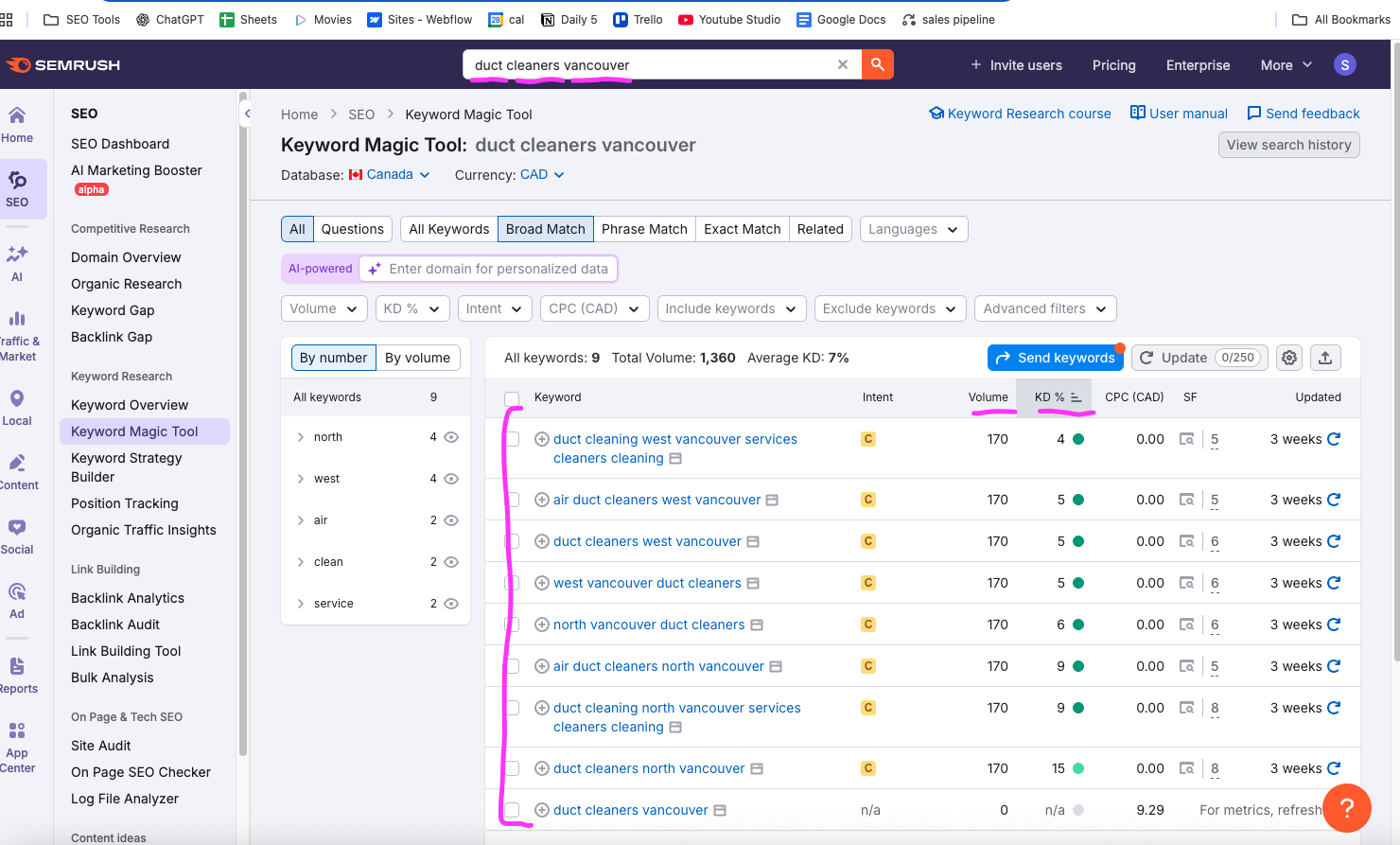
Use a tool like Semrush.
Start with broad terms like “plumber” or “clogged drain.”
Then filter by:
- Location
- Long-tail phrases
- Low keyword difficulty (under 20)
- Buyer intent ("emergency plumbing Surrey")
Examples:
- “leaking pipe North Vancouver”
- “how to unclog drain yourself”
- “tankless water heater repair Burnaby”
Build a keyword list of 50 high-potential phrases.
Step 2: Build Pages That Target Those Keywords
Every keyword needs its own page.
That page can either be:
- A service landing page ("toilet installation Coquitlam")
- A blog answering a question ("how to tell if your pipes are leaking")
Example:
- "emergency plumber Abbotsford" → service page
- "how to winterize pipes in BC" → blog post
The goal: show up when people search for urgent problems or start researching.
Step 3: Structure Your Website for SEO
If your site is messy, Google won't rank it.
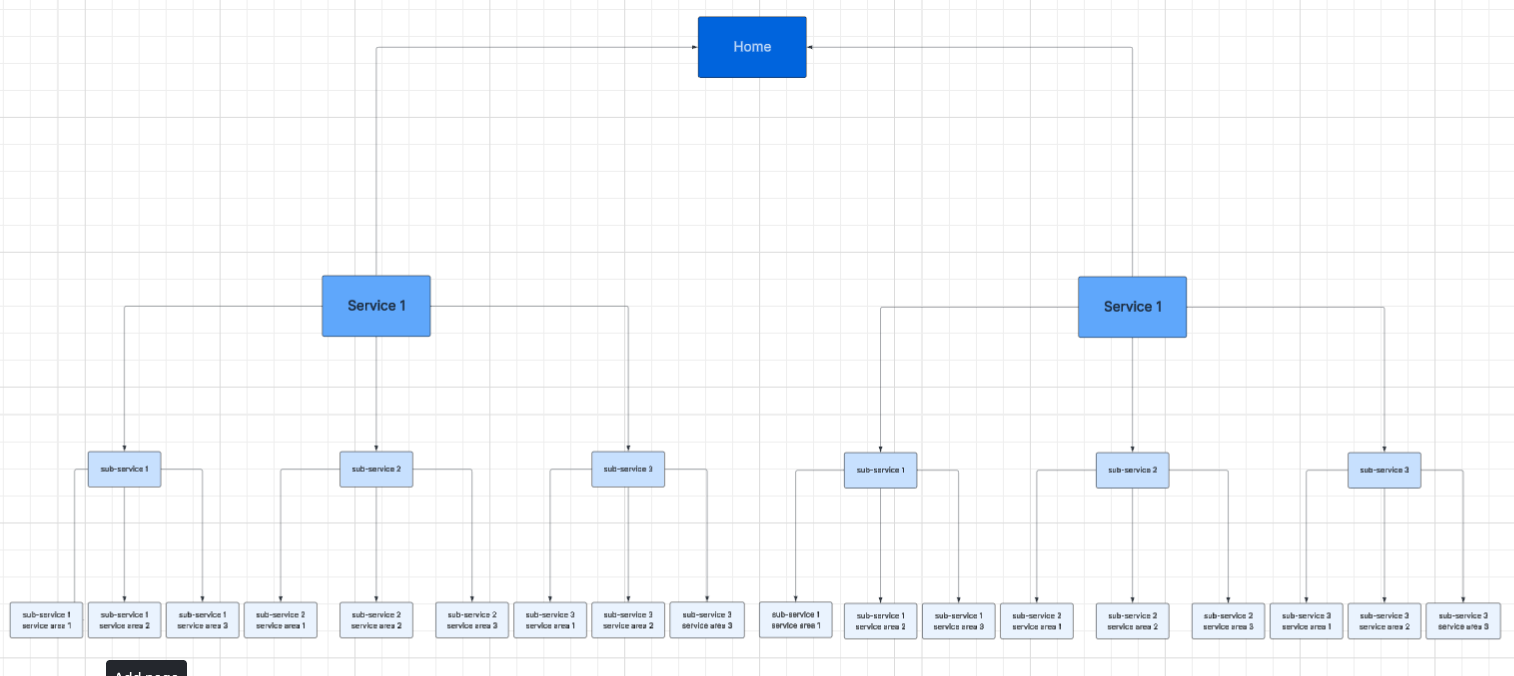
Structure your website like this:
- Home
- About
- Services (each one gets its own page)
- Blog
- Contact
- Cities you serve (each city gets its own page)
Each page needs a clean, readable URL:
- Bad: yourplumbingsite.com/page7?ref=xyz
- Good: yourplumbingsite.com/plumber-burnaby
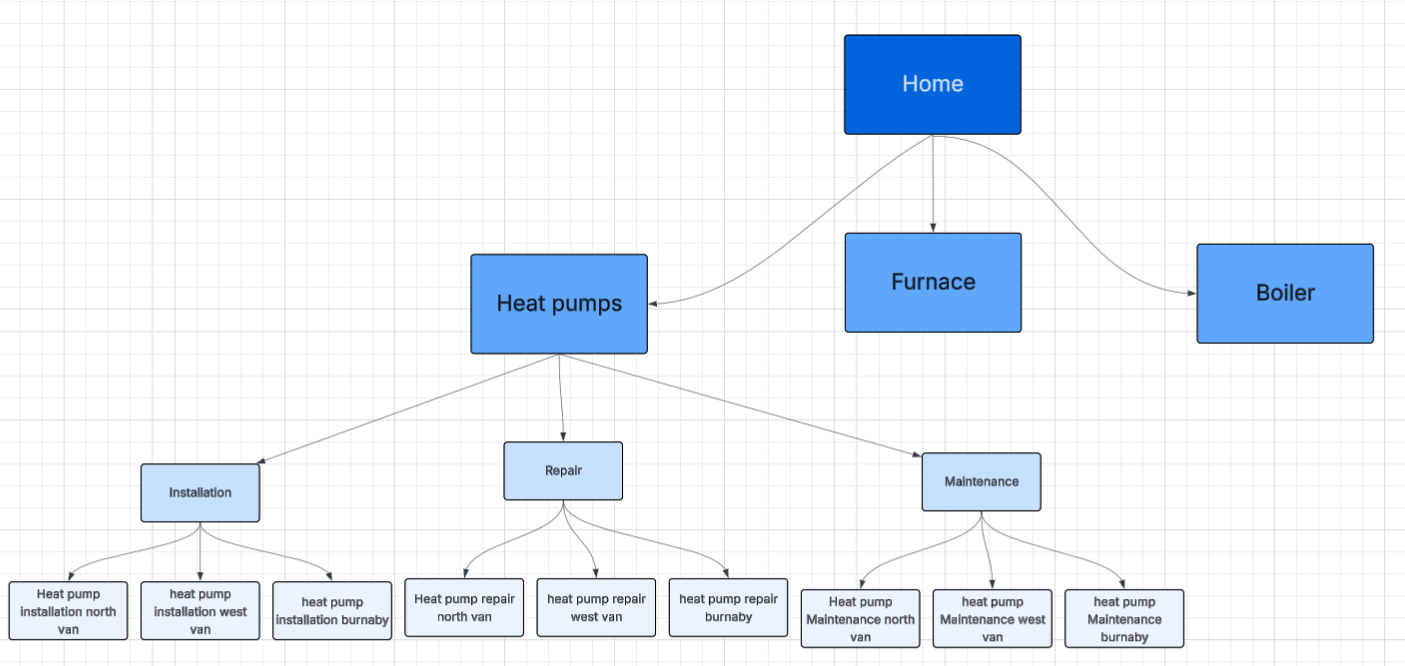
Make sure all pages are easy to find from your homepage.
Here is an example sitemap you can follow:
Here is that same sitemap using the example of a plumber/hvac company:
Step 4: Optimize Every Page
You don’t need to repeat the keyword 50 times.
You just need to place it naturally where it counts:
- In the H1 title
- In the first 100 words
- In 1–2 subheadings
- 3–5 natural mentions in the body
- In the image alt text
- In the URL
- In the meta title and description
Meta title: under 60 characters
Meta description: under 160 characters
Pro tip: Want to know how long your page should be?
Search your keyword. Copy the top-ranking page’s text and paste it into wordcounter.net. Count the keyword mentions too.
Aim to match or beat both.
Example:
When I searched up "plumber near me", I took the highest ranking website page, copied all the text and pasted it into a word counter
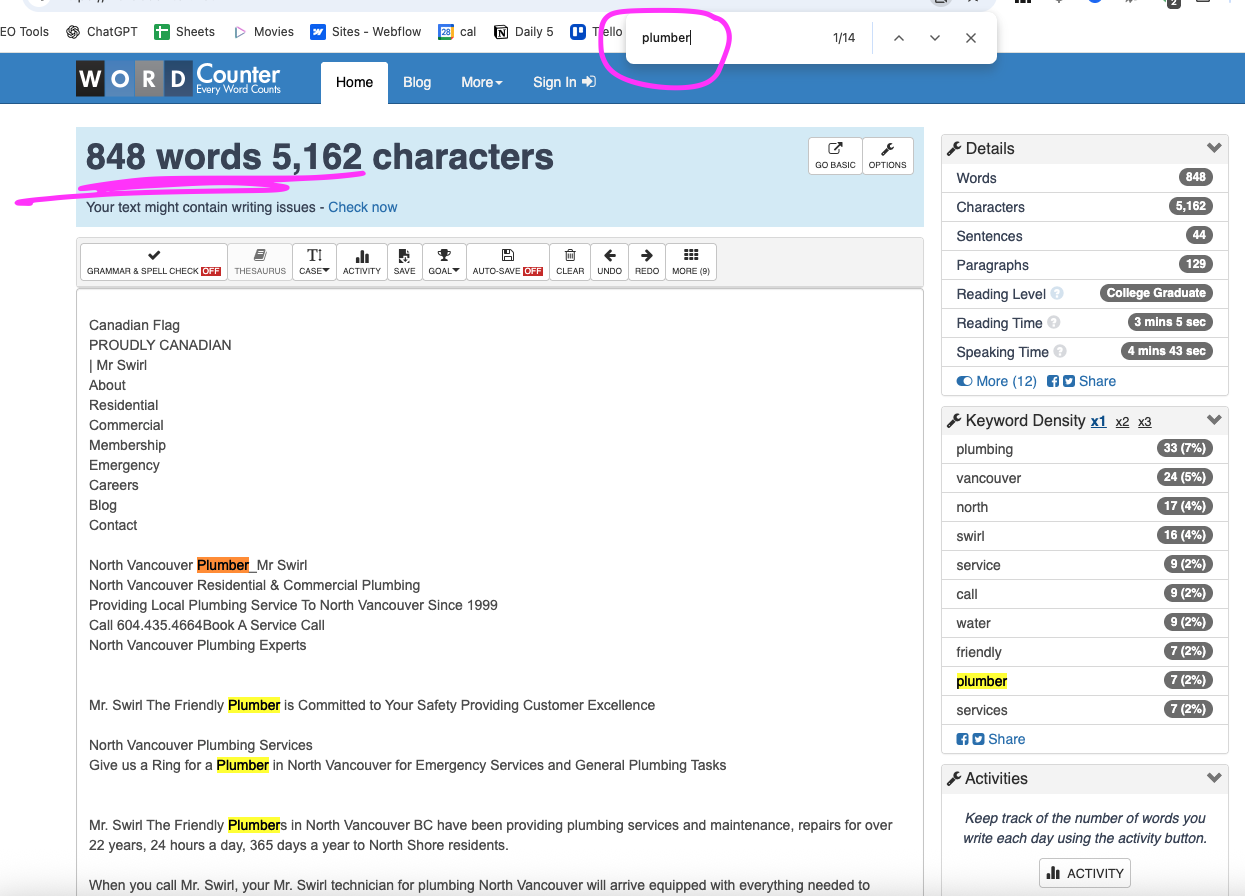
If I was trying to rank for this keyword, I should hit at least 850 words on my page and have over 14 mentions of "plumber"
Step 5: Improve Technical SEO
This is the behind-the-scenes stuff, but it matters.
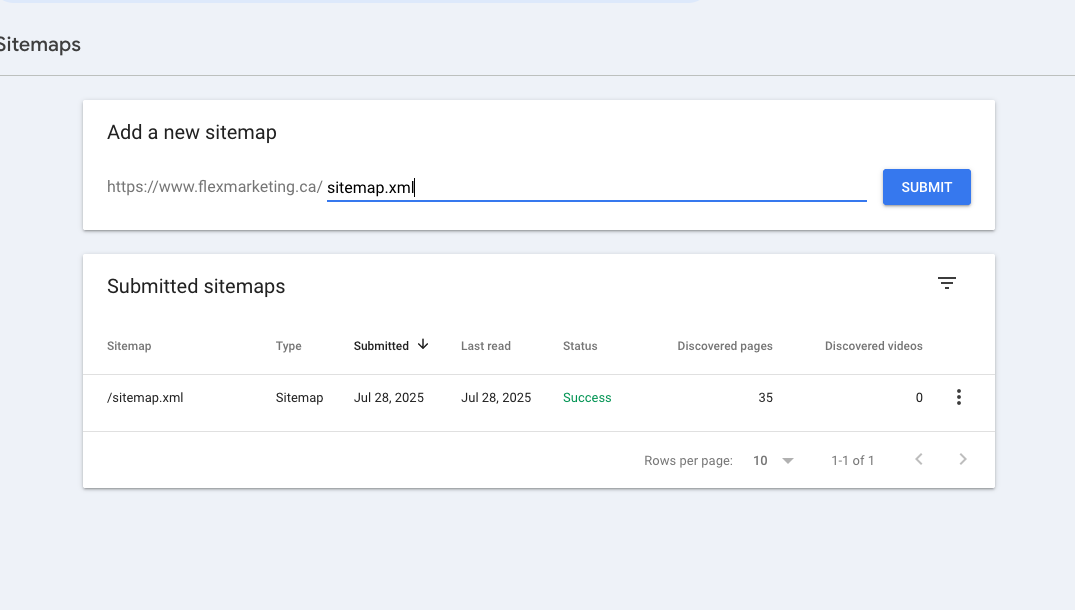
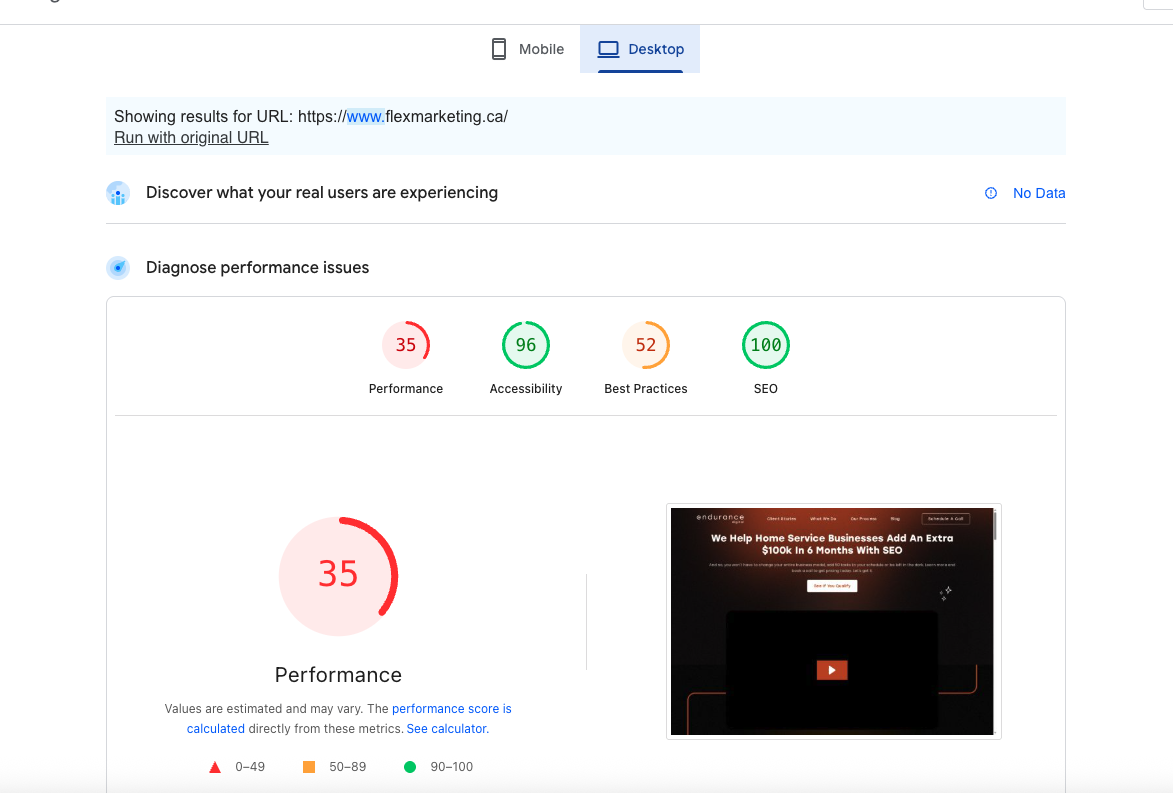
Use Google PageSpeed Insights and Search Console to audit your site.
Checklist:
- Loads in under 3 seconds
- Mobile friendly
- Secure (SSL installed)
- Sitemap submitted in Search Console
- No broken links
- Simple code and minimal plugins
Step 6: Create Conversion-Focused Landing Pages
Ranking is only half the game.
Most plumbing websites don’t convert because they’re cluttered or confusing.
Your service pages should include:
- A clear, benefit-driven headline
- A subheadline that supports the offer
- Photos or video of your actual team and work
- A short breakdown of how the service works
- 3+ testimonials or trust signals
- A form or phone number always visible
Someone should land on the page and immediately know:
- What you do
- Why you’re trustworthy
- How to contact you
This entire youtube video explains this a lot more in-depth so check it out:
Step 7: Create Blogs That Get Traffic
Blogs aren’t for getting leads directly.
They are for attracting long-tail searches, increasing authority, and building trust.
Post 3–5 blogs per week.
Use your keyword list.
Make them hyper-local.
Examples:
- "how to unclog your toilet without a plunger"
- "cost of sewer line replacement in Surrey"
- "what qualifies as a plumbing emergency in BC"
Avoid writing fluff like:
- "Why our plumbing company is the best in [city]"
- "5 types of faucets you might like"
Instead, answer real questions your customers ask.
Step 8: Use Internal Links
Keep people clicking through your site.
Every blog post should link to:
- At least one related blog
- At least one relevant service page
Every service page should link to:
- The contact page
- Other related services
Google loves when users stay on your site.
These is an example of an internal link: Construction SEO Services in Vancouver
Step 9: Track What Matters
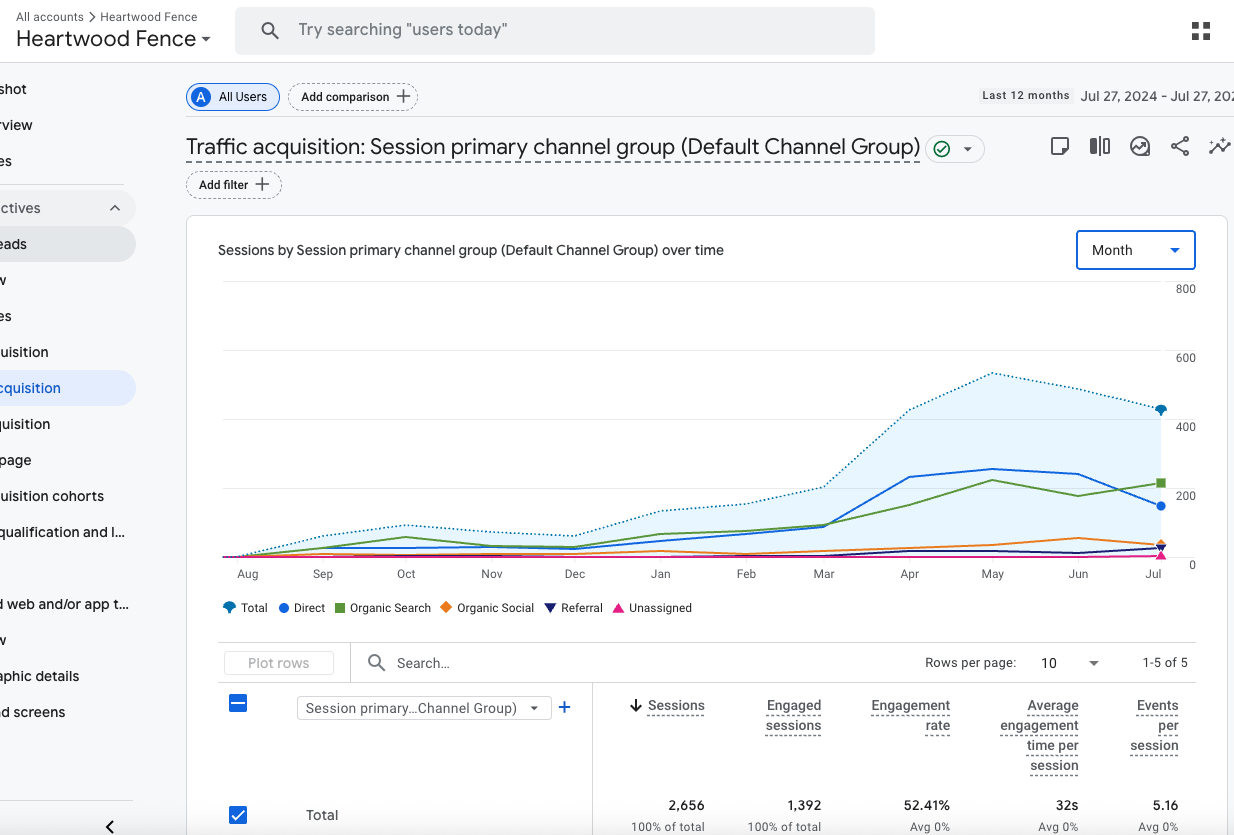
Track your SEO results monthly.
Use:
- Google Analytics for traffic
- Google Search Console for keywords
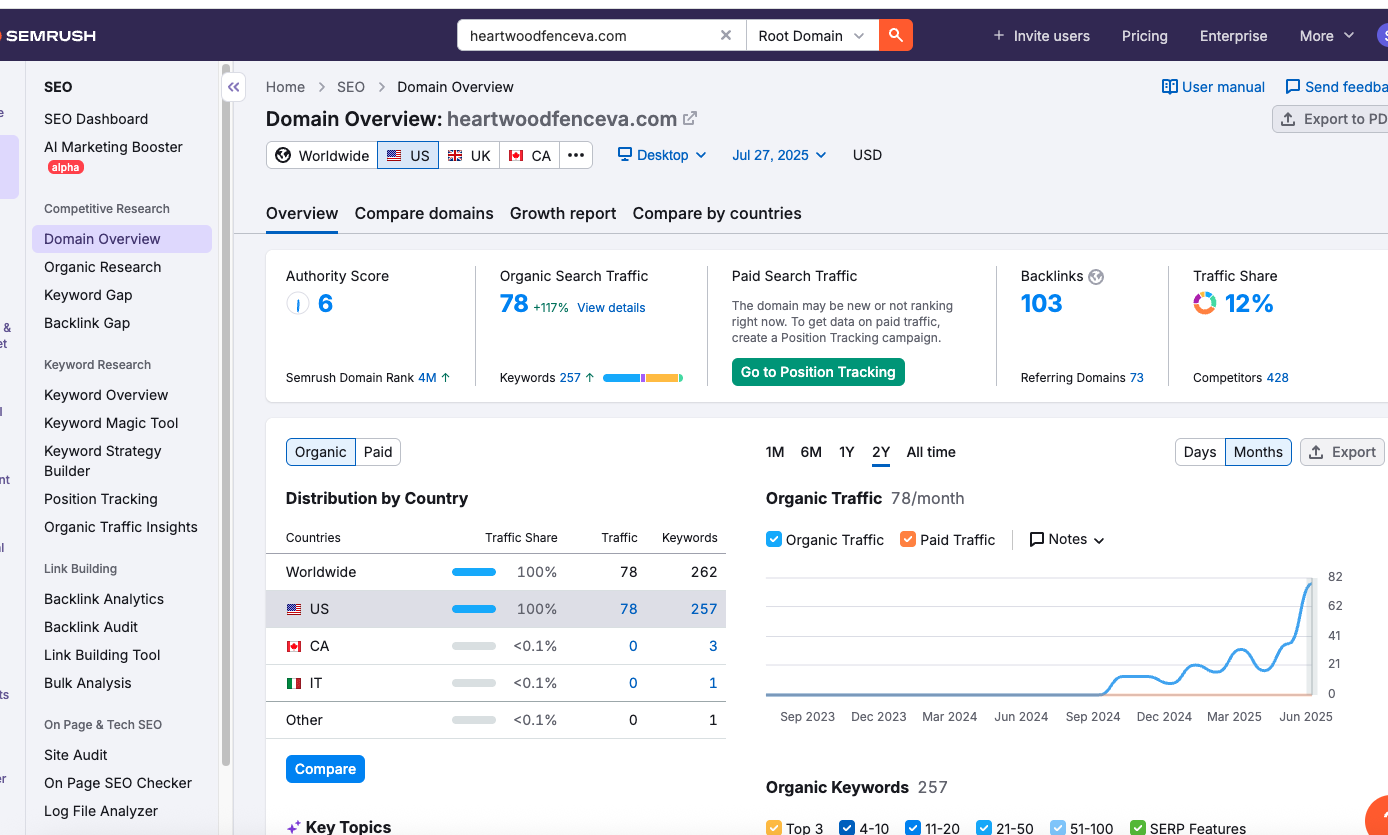
- Semrush (or similar) for keyword ranking
Check:
- Total traffic
- Top blog and service pages
- Keywords you're ranking for
- Leads from SEO (use call tracking + "how did you hear about us" forms)
Google analytics:
Google Search Console:
Semrush:
Step 10: Stay Consistent
One week of SEO won’t move the needle.
But 3–6 months of focused effort?
That builds a lead engine that never turns off.
Most plumbers quit early. The ones who stick with it dominate.
Want Us to Build This for You?
This is exactly what we do for plumbers every day.
We:
- Do your keyword research
- Build SEO-friendly service and blog pages
- Optimize your technical SEO
- Write blogs weekly to increase your traffic
- Set up Google Search Console and track results
- Manage your Google Business Profile too
You get:
- A local SEO system you actually own
- Monthly progress reports
- A Slack channel with our team
We do all the work. You check in once a week.
Pricing is $2K to $4K/month. If you don’t get results, we give you a refund.
Book a free call to get started.
![How to Add Multiple Business Profiles in Google Maps [2026 Guide]](https://cdn.prod.website-files.com/66db9a55dc1c17a7a5711b34/6a4be86b10eefbdf03dd8599_How%20to%20add%20a%20new%20business%20profile%20(1).jpg)
.jpg)